ChatGPT just launched a dashboard that shows businesses when they appear in answers and how many people click through to their websites. For marketers, that means a new way to see what’s happening before visitors land on your site. Here’s where to find it, what the numbers actually mean, and how to check whether those clicks turn into leads.
The dashboard is part of Businesses in ChatGPT, which OpenAI launched in beta on November 10. Access depends on eligibility and verification, and the numbers have specific definitions. It’s useful visibility data, not a complete record of every customer journey. Read OpenAI’s official announcement

START HERE: CLAIM AND VERIFY YOUR BUSINESS
Open ChatGPT Business Hub Sign in and find your business.
You must own the business or be authorized to represent it. Complete the claim and verification steps offered. An approved claim and Persona identity verification are required to view insights.
Eligibility depends on location, business type and supported verification. Claiming a business does not guarantee more recommendations or higher placement. OpenAI’s setup guide
KNOW WHAT THE NUMBERS MEAN
Business Hub provides aggregate insights for the past 28 days, including mentions, website clicks and discovery topics.
For an online business, a recorded mention requires a website reference. Naming the brand alone doesn’t count. Website clicks are clicks, not unique customers.
Discovery topics summarize themes, not individual prompts or buying intent. Blank metrics may reflect reporting thresholds or unavailable data rather than zero activity.
These are the definitions to use when explaining the numbers to your team.
CHECK WHERE THE TRAFFIC LANDS
In your website analytics, review the ChatGPT-related traffic you can identify and its landing pages. Save your sources, filters and date range so you can repeat the check.
Use the same reporting period when comparing with Business Hub. Don’t expect its clicks and your analytics sessions to match exactly: they measure different events, and tracking conditions affect what your site records.
Then choose one landing page that matters to lead generation.
A pricing page and a support article have different jobs. Their visitors shouldn’t all be judged against the same conversion expectation.
FOLLOW THAT PAGE’S SUBMISSIONS INTO HUBSPOT
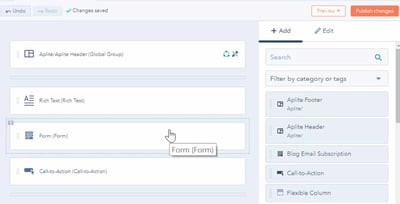
Open the form used on the landing page and review submissions from the same period.
Check the corresponding contact records:
- What source information was captured?
- Was this a new prospect or an existing customer?
- Did sales qualify the lead?
- Was a deal created?
- Is there enough evidence to connect the submission to ChatGPT?
Don’t label every form submission from the page “ChatGPT-generated.” Make that connection only where the tracking supports it.
Keep a simple working list: submission date, landing page, captured source, qualification outcome and missing evidence.
If useful source information disappears between the website and HubSpot, you’ve found a concrete problem to fix.
ACCOUNT FOR THE JOURNEY YOU CAN’T SEE
Someone might discover your business in ChatGPT, return through Google two days later and book a demo.
A visibility metric and a Google-attributed visit won’t automatically connect those moments.
That’s why Business Hub belongs alongside Google Search Console, website analytics and CRM reporting, not in place of them. Use each source for the part of the journey it can actually show.
TURN THE FINDINGS INTO A WEBSITE IMPROVEMENT
Maybe relevant visitors land on a confusing page. Maybe a form is broken. Maybe leads arrive, but source information doesn’t.
Those findings tell you what to do next.
Start with one page, one form and one reporting period. Follow the evidence far enough to decide what needs attention.
Want help checking the path from website visit to HubSpot lead? Talk to HubBase about your tracking, forms and CRM handoffs.





 5 min read